what it is
conversations with what you're reading.
Ask anything about the document, or select a passage first. The model looks up the pages your question needs and cites them; when a reply says “p. 12”, you click it and you're there.
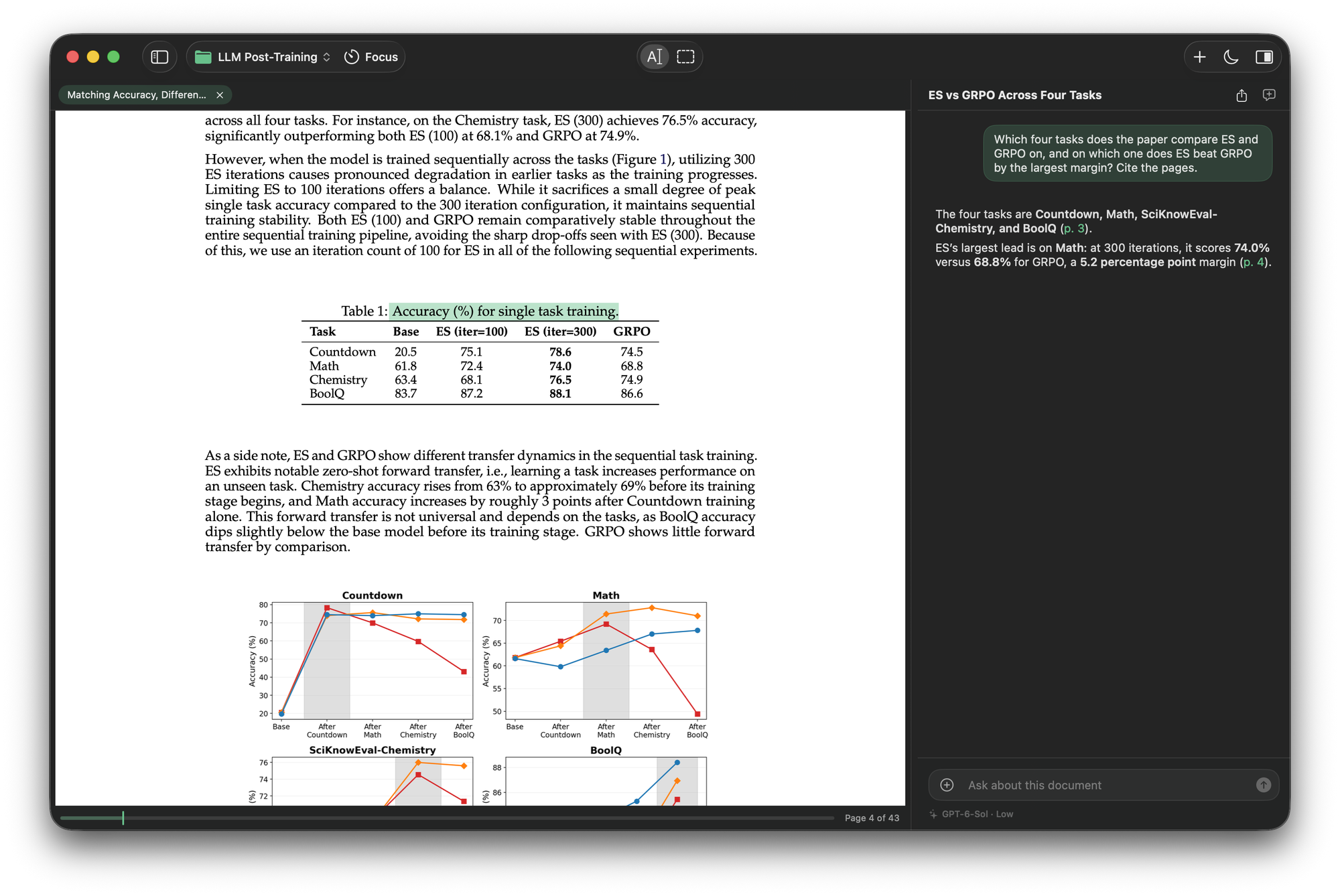
A native Mac reader where you converse with what you're reading. The AI reads the document itself and cites the page. Built on Codex, so it runs on the ChatGPT plan you already pay for.
Johannes Vermeer, The Astronomer, 1668 · Musée du Louvre
what it is
Ask anything about the document, or select a passage first. The model looks up the pages your question needs and cites them; when a reply says “p. 12”, you click it and you're there.
the reading tool, not a chatbot with a file picker
The model has the document's table of contents and three tools: search its text, read its pages, and look at a page as it's printed, figures and tables included. It looks up what your question needs and cites the exact words; a click on a citation lands on them. Every step shows in the conversation. A short paper travels whole; a long book is read on demand.
The four tasks are Countdown, Math, SciKnowEval Chemistry and BoolQ (p. 3).
ES beats GRPO by the largest margin on Math: 74.0% vs 68.8%, a 5.2 point lead (p. 4).
Highlight a passage and it stays on the page in the color you chose, with a note if you like. Click it to ask about it. Export them all as Markdown.
Hold Option and drag over a figure or equation, then ask. And when a question is about a chart or a table, the model looks at the page itself.
Projects, documents, highlights, conversations, all local. The PDF's own contents in the sidebar, scanned pages read on your Mac, ⌘F that finds anything.
how it works
Internalize contains no AI of its own. It drives Codex, the agent inside OpenAI's ChatGPT app, on your Mac and on your account. That's why it's free.
Internalize answers through the ChatGPT app for Mac, on your plan. Already use it? You're set: Internalize signs you in with one click, on OpenAI's own page.
Open the DMG, drag to Applications, launch. Signed and notarized, no warnings, no setup, and it updates itself from then on.
Drop a PDF on the welcome screen, select anything, and ask. Your documents, annotations, and conversations persist in projects, locally.
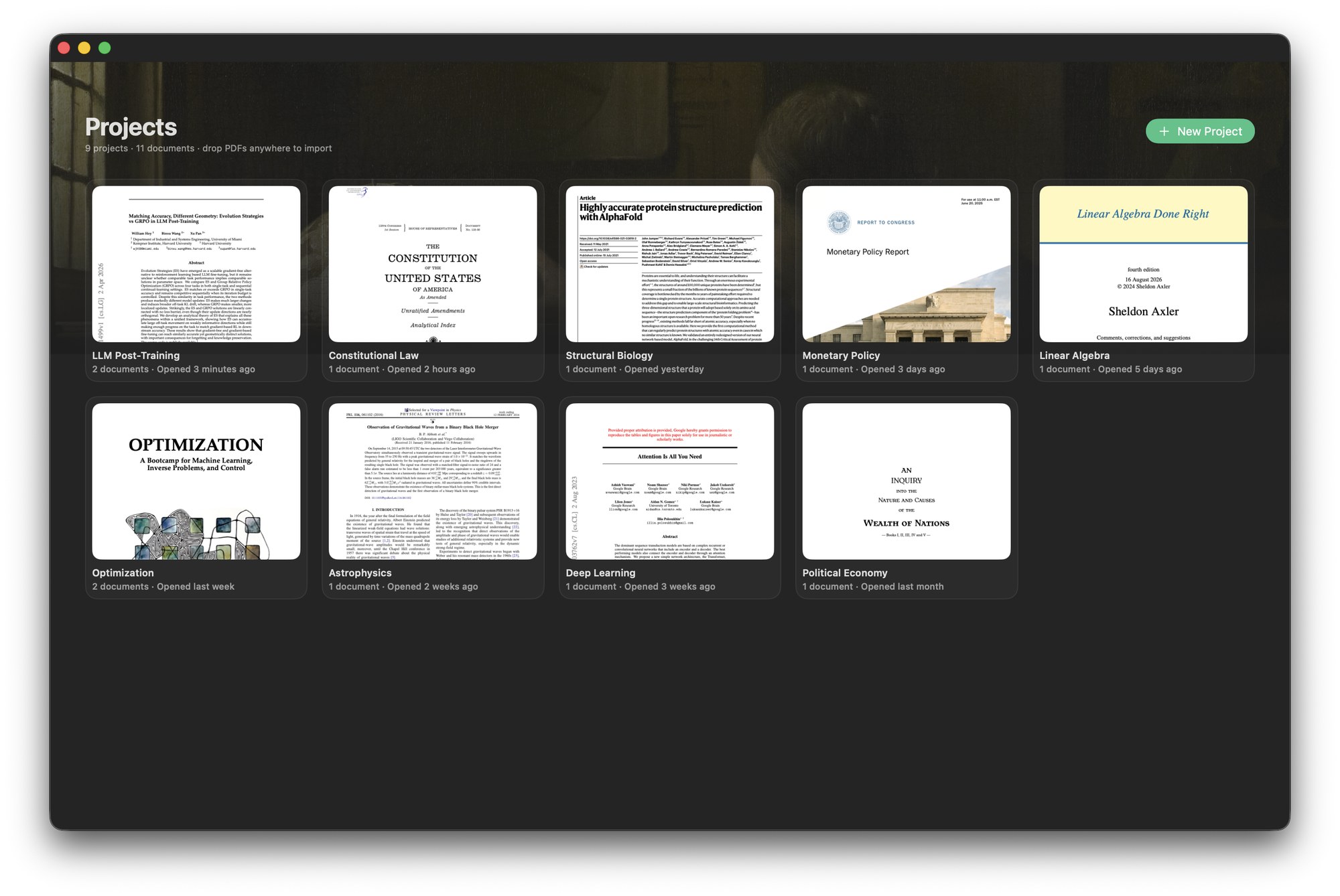
Johannes Vermeer, The Geographer, 1669 · Städel Museum
privacy
The only network traffic is your own AI requests, through your own Codex installation.
We operate zero servers. Verify it with any network monitor.
You sign in on OpenAI's page; Internalize only checks that you're signed in.
Read-only sandbox, approvals off, an isolated profile with the shell, browser, computer and app access switched off. It can read your document and search the web. It can't act on your Mac.
questions, answered honestly
Really free. The expensive part of AI apps is the AI. Internalize sidesteps that by running on the ChatGPT plan you already have, through Codex on your machine. There's no catch to monetize; if the app earns a place in your reading life, there's a tip jar.
Codex is OpenAI's local agent, and its app-server protocol is the documented way for third-party software to integrate it. That's what lets Internalize give you frontier-model conversations with zero API keys and zero per-token costs. Your plan, your machine, your data.
No. You sign in on OpenAI's own page (Internalize opens it for you) or in the ChatGPT app. Internalize never handles credentials. It runs Codex in an isolated, read-only profile with no shell, so your own Codex settings are untouched and the app can't perform actions through it, only conversations.
macOS 15 or newer, Apple Silicon and Intel (universal binary). The app is signed with an Apple Developer ID and notarized, and ships its own one-click updates.
The App Store sandbox forbids apps from launching external programs, which is precisely how Internalize drives Codex. Direct distribution with Apple's notarization gives you the same malware-scanned safety without that limitation.